AI Study Guide Generator: The Ultimate Blueprint for Transforming Lecture Notes
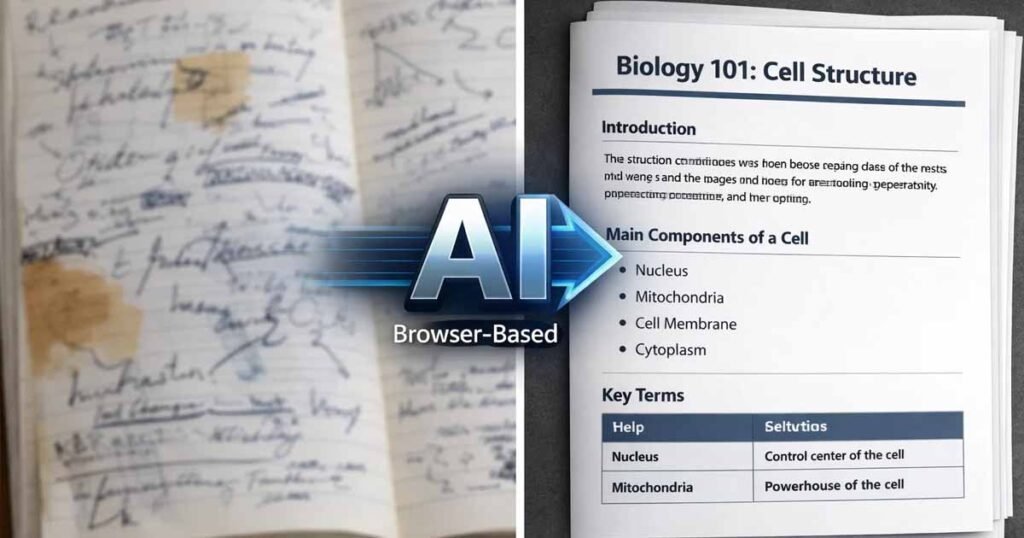
In the modern academic landscape, the sheer volume of information can be overwhelming. Between three-hour seminars and rapid-fire slide decks, students and educators are often left with a mountain of raw data. The solution lies in using a dedicated AI study guide generator to turn chaotic notes into polished, print-ready documents in a fraction of the time.
By leveraging browser-native tools that prioritize privacy, you can master your curriculum using the AI Doc Suite ecosystem.
The Problem with “Raw” AI Chatbots
Most students are familiar with generic chatbots. While these tools are good for conversation, they often fail at document integrity. If you paste 2,000 words of notes into a standard chatbot, you won’t get a formatted file ready for your binder. You get a wall of text that requires another hour of manual editing.
A professional AI study guide generator solves this by focusing on Structured Output. It doesn’t just give you words; it gives you a finished product.
Phase 1: Distillation – Turning Noise into Knowledge
The first hurdle is the “Fluff Factor.” Lecture notes often contain tangents or administrative reminders that don’t belong in a final review.
Using the AI Writer as an AI Study Guide Generator
Navigate to the AI Writer & Editor to begin. Because the tool is browser-native, there is no barrier to entry—no signup forms to fill out while you’re in the “flow” state.
- Input Your Brain Dump: Paste transcripts or messy bullet points directly into the editor.
- Apply Intent-Based Prompts: Don’t just ask the AI to “summarize.” Instead, use a prompt like: “Act as an AI study guide generator and extract all key terminology, historical dates, and core theories from these notes.”
- Refine the Tone: Use the tool’s built-in settings to set the tone to Academic. This ensures the output avoids the overly casual “AI voice” and maintains professional standards.
Phase 2: Structuring for Cognitive Retention
Reading a summary is passive; interacting with a guide is active. To truly master a subject, your AI study guide generator needs to facilitate Active Recall and Spaced Repetition.
Alt Text: A student utilizing an AI study guide generator to organize complex lecture notes into a structured PDF.
While still in the editor, utilize the following formatting standards:
- The Glossary Section: Ask the AI to identify the 10 most important terms and create a dedicated “Key Definitions” table.
- The “So What?” Summary: Ensure every chapter has a one-paragraph summary explaining the real-world significance of the topic.
- Self-Testing: Instruct the tool to generate five practice questions based solely on the provided notes. This forces your brain to retrieve the information later.
Phase 3: Professional Formatting with the AI PDF Generator
Once the content is perfect, the final step is turning it into a professional document. Digital notes are useful, but research suggests that physical interaction with printed material can improve retention and focus by reducing digital distractions.
From Text to Print-Ready PDF
Move your structured content to the AI PDF Generator. Unlike a standard “Save as PDF” function in a word processor, this tool acts as a specialized AI study guide generator by optimizing the layout for readability.
- Zero Friction: You don’t need a subscription to generate a high-quality file.
- Clean Layouts: The engine (fdmGTP) understands document structure, ensuring that your headings and lists maintain their integrity without awkward page breaks.
- Universal Compatibility: The resulting PDF is optimized for any device—from your tablet at the coffee shop to the library’s industrial printer.
Why a No-Login AI Study Guide Generator Matters
Why does it matter that these tools require no registration? In 2026, privacy-first productivity is the gold standard for high-performing students.
- Instant Speed: You shouldn’t have to verify your email just to finish a homework assignment at 2:00 AM.
- Data Security: Your academic research and proprietary notes stay in your browser session.
- Accessibility: Whether you are on a high-end laptop or an entry-level mobile device in a low-bandwidth region, this AI study guide generator remains lightweight and functional.
Beyond the Guide: Expanding the Workflow
The beauty of a unified AI workspace is that the work you do in Step 1 fuels everything else.
- Audio Learners: Take your summarized text and run it through the AI Voice Generator. Listen to your study guide as a podcast while commuting.
- Visual Learners: Use the AI PowerPoint Generator to turn your notes into a visual presentation for a study group session.
Conclusion: Master Your Curriculum Today
Success in education isn’t about working harder; it’s about working smarter. By combining the summarization power of an AI study guide generator with the professional output of the AI PDF Generator, you can reclaim hours of your week and enter your next exam with a level of organization that was previously impossible.
Ready to start? Visit AIDocSuite.com and transform your notes today—no login, no watermark, just pure productivity Powered By fdmGTP.