AI Video Export Formats Guide: MP4 vs MOV vs WebM
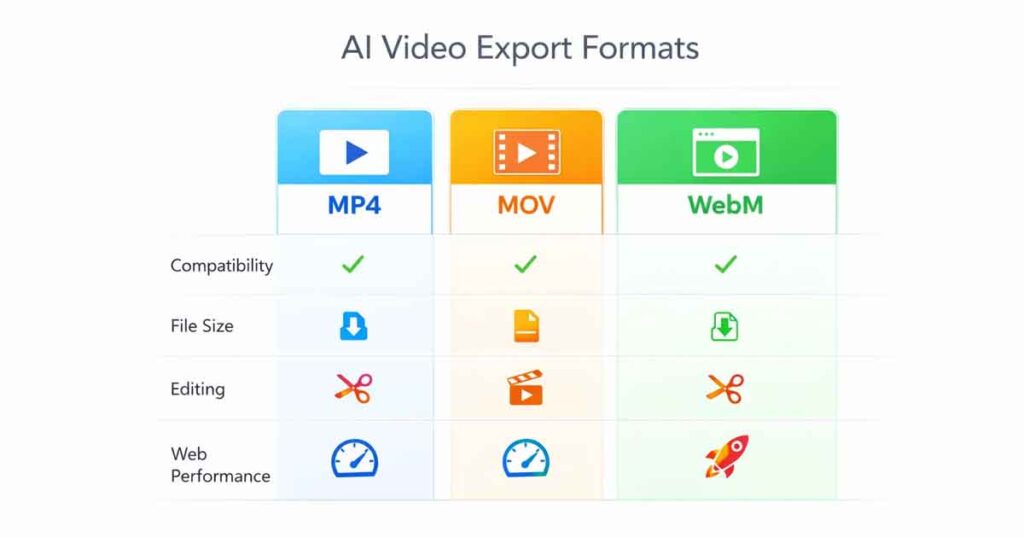
AI Video Export Formats determine how your AI-generated videos are stored, compressed, and delivered across platforms. Creating an AI-generated video is only part of the workflow. The real impact comes from choosing the correct export format. The format you select affects compatibility, file size, streaming performance, editing flexibility, and overall user experience.
Different AI video export formats serve different purposes. Some are optimized for universal playback, others are designed for professional editing pipelines, and some focus on fast web performance. In this complete guide, we break down MP4, MOV, and WebM so you can confidently choose the right format for your workflow.
What Are AI Video Export Formats?
AI video export formats are container types that package video and audio data into playable files. They define how media is structured and supported across devices, browsers, and editing software.
It’s important to distinguish between:
- Container format (MP4, MOV, WebM)
- Codec (H.264, H.265, ProRes, VP9, AV1)
- Resolution (720p, 1080p, 4K)
The container holds the compressed data, while the codec determines how that data is encoded. AI tools typically allow exporting in different containers depending on whether the video is intended for social media, editing, or web embedding.
Understanding AI video export formats ensures smoother playback and better optimization.
MP4 – The Universal Standard for AI Video Export
MP4 (MPEG-4 Part 14) is the most widely supported video format worldwide. It typically uses the H.264 codec, offering an excellent balance between compression and quality.
Why MP4 Is the Most Popular AI Video Export Format
- Works on almost all devices and operating systems
- Supported by YouTube, Instagram, TikTok, and major platforms
- Balanced file size and visual quality
- Ideal for final delivery
For AI-generated content intended for sharing or public distribution, MP4 is generally the safest choice. It ensures maximum compatibility without requiring additional conversion.
If you’re unsure which AI video export format to use, MP4 is the default recommendation. According to the official MPEG documentation, MP4 remains one of the most widely adopted multimedia containers worldwide.
MOV – Best for Professional Editing Workflows
MOV (QuickTime Movie) is a container developed by Apple and widely used in professional production environments. It supports high-quality codecs such as ProRes and preserves more detail during editing.
When to Use MOV in AI Video Workflows
- Professional video editing
- Post-production and color grading
- Archiving high-quality master files
- Apple ecosystem workflows
Because MOV files often use less aggressive compression, they produce larger file sizes. While excellent for editing, they are not always optimal for web delivery due to compatibility and bandwidth concerns.
MOV is best used when further editing is required before final distribution.
WebM – Optimized for Web Performance
WebM is an open-source container specifically designed for web-based video streaming. It commonly uses VP9 or AV1 codecs and is optimized for HTML5 playback.
Benefits of WebM in AI Video Export Formats
- Smaller file sizes
- Faster web loading
- Designed for modern browsers
- Supports transparency (alpha channel)
WebM is particularly useful for embedded videos, website animations, and AI-generated clips displayed directly on landing pages. However, compatibility on older systems and certain mobile environments may be limited.
If performance and load speed are priorities, WebM is an excellent choice.
AI Video Export Formats Comparison
| Feature | MP4 | MOV | WebM |
|---|---|---|---|
| Compatibility | Universal | Apple-focused | Modern browsers |
| File Size | Moderate | Large | Small |
| Editing Flexibility | Moderate | Excellent | Limited |
| Web Performance | Good | Moderate | Excellent |
| Best Use Case | Social sharing | Professional editing | Web embedding |
Each format serves a different stage of the production pipeline.
Resolution, Bitrate & Compression Settings
Beyond selecting AI video export formats, output quality depends on:
- Resolution (720p, 1080p, 4K)
- Bitrate
- Frame rate (24fps vs 30fps)
Resolution Guidelines
- 720p → Lightweight web content
- 1080p → Standard professional and social use
- 4K → High-detail production
Higher resolution increases file size significantly. Exporting in 4K is unnecessary unless the use case specifically requires it.
Bitrate also impacts clarity. Excessively high bitrate may increase file size without noticeable quality improvement.
Optimizing these settings alongside the correct AI video export format ensures efficiency.
Which AI Video Export Format Should You Choose?
- For social media uploads → MP4 (H.264)
- For professional editing → MOV (ProRes or high-bitrate codec)
- For website embedding → WebM
- If unsure → MP4 is the safest option
The best format depends on your distribution channel and workflow needs.
Conclusion
AI video export formats are not about choosing the “best” file type — they are about selecting the most suitable format for your intended use.
MP4 provides universal compatibility, MOV supports advanced editing workflows, and WebM delivers optimized web performance. Understanding these differences ensures that AI-generated videos are delivered efficiently, maintain quality, and perform reliably across platforms.
Making informed export decisions improves workflow speed, playback stability, and overall content performance. AI Doc Suite Audio Video converter And AI Video Generator.
FAQ
What is the best AI video export format?
MP4 is generally the safest and most compatible format for most use cases.
Is WebM better than MP4?
WebM is better for web performance and smaller file sizes, while MP4 offers broader compatibility.
Do AI video export formats affect SEO?
Yes. Smaller, optimized formats like WebM can improve page load speed, which indirectly supports SEO performance.
Should I export AI videos in 4K?
Only if your project requires high-resolution output. For most online use cases, 1080p is sufficient.