What Is a Browser-Native AI Document Workspace? (2026 Guide)
(AI Doc Suite) – The rapid evolution of digital productivity tools in 2026 is reshaping how professionals create, manage, and distribute content. As workflows become more distributed, AI-powered, and cloud-native, a new category of software is gaining traction: the browser-native AI document workspace.
But what exactly defines this shift, and why is it replacing traditional office suites?
Defining the Browser-Native AI Workspace
A browser-native AI document workspace is an all-in-one, web-based platform that unifies document creation, editing, file conversion, and multimedia processing within a single intelligent environment.
Unlike legacy desktop software, these platforms are:
- Powered by AI engines for structured automation
- Zero-installation — fully operational inside modern web browsers
- Unified interfaces replacing fragmented software stacks
- Cross-device accessible without dependency on hardware
Key takeaway:
It represents a structural shift from static files to intelligent, adaptive documents that live directly in the browser.
The Structural Shift: From Local Software to AI-First Architecture
Traditional productivity systems were built around local execution. Users installed heavy applications, managed file directories, and manually formatted content.
In contrast, browser-native AI workspaces transform the browser into a high-performance execution layer.
Why Professionals Are Switching in 2026
- Eliminating app switching between PDF tools, editors, and converters
- AI-assisted formatting and data extraction
- Instant access without installation friction
- Real-time cross-device performance
- Lower operational overhead
The browser becomes the new productivity operating system.
5 Core Characteristics of Modern AI Document Workspaces
1. 100% Web-Based Execution
No plugins.
No manual updates.
No version conflicts.
Users open a URL and begin working immediately.
2. Unified Document & Media Ecosystem
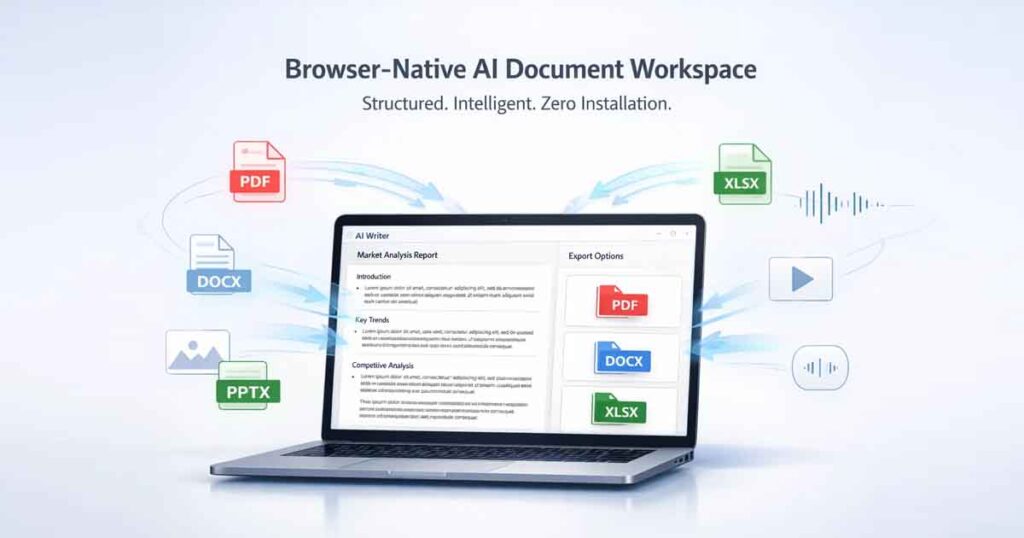
A true AI workspace extends beyond text editing. It supports:
- Document creation (DOCX, reports, structured contracts)
- AI-powered PDF editing and conversion
- Spreadsheet automation (XLSX)
- Presentation generation (PPTX)
- Image optimization and format conversion
- Audio and video processing
All within a single environment.
3. AI-Powered Context Awareness
Modern AI workspaces integrate structured language models that understand intent and formatting logic.
They can:
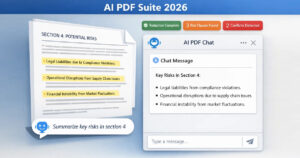
- Summarize long PDFs instantly
- Convert blog posts into slide decks
- Extract structured data from documents
- Generate invoices, resumes, and proposals
- Automate formatting without manual correction
This dramatically reduces repetitive workload.
4. Dynamic “Living” Documents
In 2026, documents are no longer static files.
They adapt to:
- Output channel (web, print, mobile)
- Structured formatting rules
- Embedded data layers
- Automated updates
This makes documents intelligent rather than passive.
5. Privacy-First Accessibility
Leading browser-native AI platforms operate on session-based architecture.
This ensures:
- No mandatory login barriers
- No forced file storage
- No background AI training on user documents
- Optional cloud integrations
This model is particularly valuable for freelancers, legal professionals, and distributed teams handling sensitive data.
Comparison: Traditional Office Software vs Browser-Native AI Workspace
| Feature | Traditional Office Software | Browser-Native AI Workspace |
|---|---|---|
| Setup | Requires installation | Instant browser access |
| Workflow | Manual editing | AI-assisted structured automation |
| Tools | Multiple disconnected apps | Unified ecosystem |
| Updates | OS-dependent | Always up-to-date (cloud) |
| Device Support | Hardware limited | Cross-platform |
The difference is architectural — not cosmetic.
Who Benefits Most from Browser-Native AI Workspaces?
Freelancers
Generate invoices, proposals, and contracts instantly.
Distributed Teams
Collaborate without installation or compatibility issues.
Students
Summarize research, create reports, and generate presentations in one environment.
Small Businesses
Automate document workflows without expensive enterprise licenses.
Content Creators
Convert, format, and generate media inside one structured system.
Why Browser-Native AI Workspaces Matter in 2026
Digital work is accelerating.
Modern professionals require:
- Faster content generation
- AI-powered automation
- Cross-device consistency
- Lower friction execution
- Structured document intelligence
Browser-native AI platforms eliminate the traditional friction between idea and output.
They simplify digital execution.
The Future: Fewer Apps, More Intelligence
The direction of productivity software is clear.
Instead of managing tools, users manage goals.
Instead of formatting manually, AI handles structured logic.
Instead of switching apps, workflows remain unified.
Browser-native AI document workspaces are not just online editors.
They are AI-driven productivity layers.
Final Thoughts
A browser-native AI document workspace is redefining how digital work is created and managed in 2026.
It is:
- Faster
- Lighter
- More secure
- More intelligent
But more importantly, it removes friction.
No installations.
No fragmented tools.
No unnecessary complexity.
Instead of managing files, professionals now manage outcomes — while AI handles formatting, structure, and automation in the background.
This shift isn’t just about convenience.
It’s about moving from static software to intelligent execution.
And that’s why browser-native AI workspaces are becoming the new standard for modern productivity. Explore AI Doc Suite on Chrome Web Store to experience browser-native AI productivity in action.
Tags: