ChatGPT vs AI Doc Suite: AI Brain vs AI Workspace
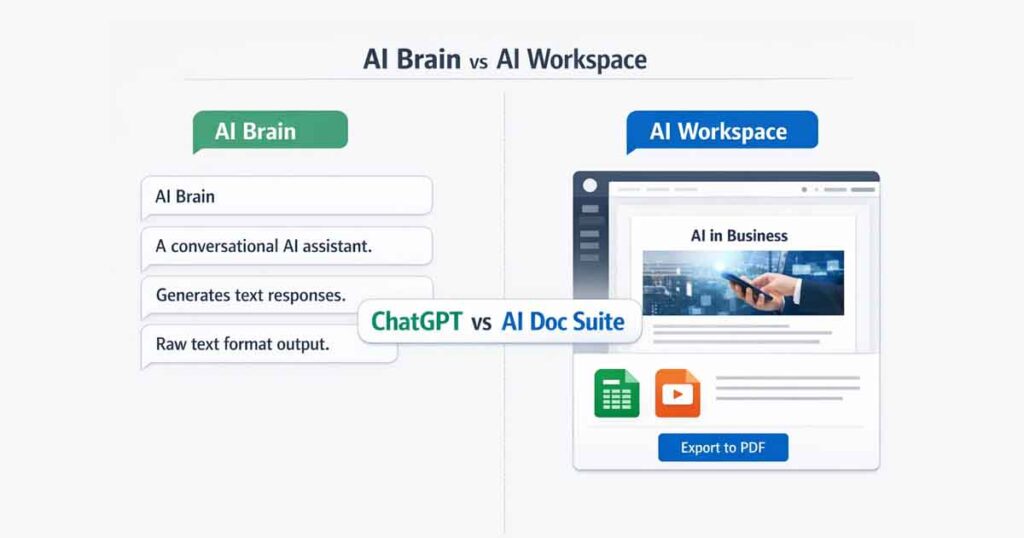
ChatGPT vs AI Doc Suite is not a battle of intelligence — it’s a comparison of workflow design. While ChatGPT functions as a conversational AI model built for reasoning and brainstorming, AI Doc Suite operates as a unified browser-based AI workspace focused on structured document creation, formatting, and multi-modal productivity.
Understanding the difference between these two platforms helps professionals choose the right tool for thinking versus execution.
Core Positioning: Thinking vs Doing
ChatGPT – The AI Brain
ChatGPT is designed for inference and dialogue. It excels at:
- Brainstorming ideas
- Writing drafts
- Coding assistance
- Technical explanations
- Conversational refinement
It generates high-quality text outputs but leaves formatting and document structuring to external tools.
AI Doc Suite – The AI Workspace
AI Doc Suite is built for execution. It focuses on structured output, allowing users to:
- Generate formatted PDFs
- Create DOCX documents
- Produce spreadsheets (XLSX)
- Build presentation slides
- Convert images and media
- Export ready-to-send files
Instead of copy-paste workflows, it offers draft → layout → export within one interface.
Feature Comparison Table
| Feature | ChatGPT | AI Doc Suite |
|---|---|---|
| Primary Focus | Conversational AI | Structured Workflow Workspace |
| Output Format | Raw text / code blocks | DOCX, PDF, XLSX, PPT |
| Formatting | Manual | Built-in formatting |
| Workflow | Prompt → Copy → Paste | Prompt → Format → Export |
| Media Tools | Limited | Integrated PDF, Image, Audio, Video |
| Account Requirement | Login Required | No-login core tools |
| Installation | None | None (Browser-native) |
The “Copy-Paste Tax” Explained
One major difference in the ChatGPT vs AI Doc Suite comparison is workflow friction.
When using ChatGPT, users often generate content that must be copied into Microsoft Word or Google Docs for formatting. Tables must be recreated. Headers must be adjusted. Layout requires manual effort.
This hidden workflow cost is what many professionals experience as the “copy-paste tax.”
AI Doc Suite reduces this friction by generating structured documents directly inside the browser, ready for export without additional formatting steps.
Multi-Modal Productivity Advantage
ChatGPT focuses primarily on text-based interaction.
AI Doc Suite integrates:
- Document generation
- PDF automation
- Spreadsheet creation
- Slide development
- Image conversion
- Audio generation (Text-to-Speech)
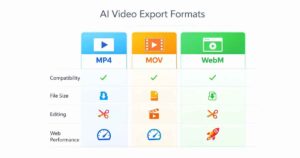
- Video format processing
This makes AI Doc Suite suitable for end-to-end workflows where multiple file types are involved.
When to Use ChatGPT
Choose ChatGPT when:
- You need brainstorming support
- You want conversational iteration
- You are writing code
- You need deep reasoning models
When to Use AI Doc Suite
Choose AI Doc Suite when:
- You need a formatted report immediately
- You want a professional PDF export
- You are preparing proposals or invoices
- You want structured spreadsheets or presentations
- You prefer a no-login browser workspace
Can AI Doc Suite Replace ChatGPT?
No. AI Doc Suite is not built to replace conversational AI models. Instead, it complements them.
Many professionals use ChatGPT for idea refinement and then switch to AI Doc Suite to create finalized, formatted deliverables.
Final Verdict: AI Brain vs AI Workspace
The ChatGPT vs AI Doc Suite comparison highlights two different layers of AI productivity:
- ChatGPT helps you think.
- AI Doc Suite helps you finish.
If your goal is ideation and dialogue, ChatGPT is ideal.
If your goal is structured document output and workflow automation, AI Doc Suite provides a more streamlined environment.
Explore AI Doc Suite here: https://aidocsuite.com/
❓ FAQ Section
Is AI Doc Suite better than ChatGPT?
AI Doc Suite is better for structured document workflows such as reports, proposals, invoices, and formatted PDFs. ChatGPT is stronger for brainstorming, idea generation, coding assistance, and conversational problem-solving. The better tool depends on whether you need polished output or creative thinking.
Can AI Doc Suite create PDFs directly?
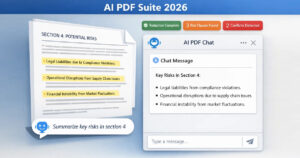
Yes. AI Doc Suite generates fully formatted PDFs directly inside the browser. Users can draft, structure, and export professional PDF documents without manual copy-paste formatting.
Does AI Doc Suite require login?
Core features of AI Doc Suite operate without mandatory login. Users can create and export documents directly in the browser without installing software or creating an account.
Which is better for professional reports?
AI Doc Suite is better for professional reports because it produces structured, formatted documents ready for export as PDF or DOCX. ChatGPT generates strong written content but requires manual formatting before sending to clients or stakeholders.