AI Doc Suite: A Unified AI Workspace for Modern Document Productivity
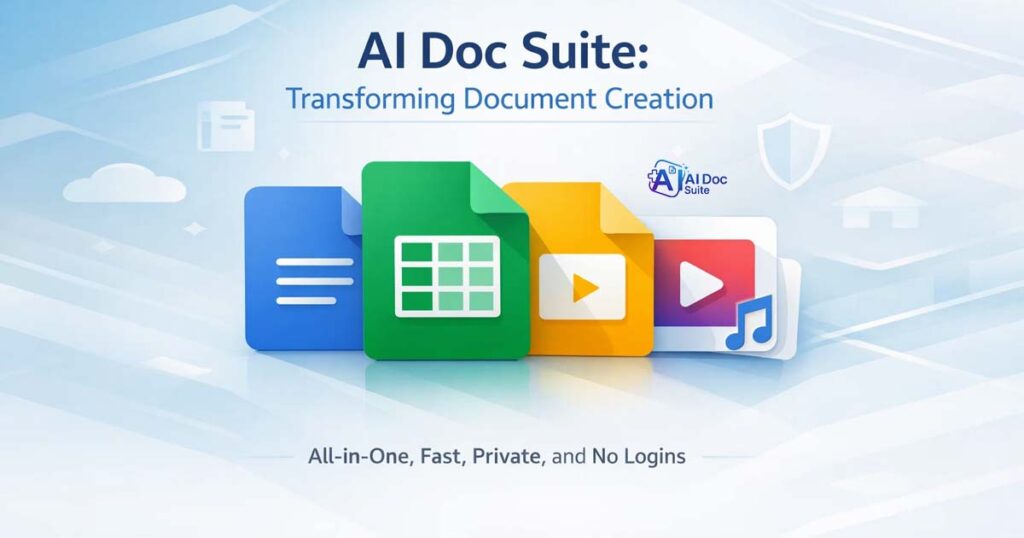
In today’s digital-first environment, document creation extends far beyond simple word processing. Professionals regularly work with spreadsheets, presentations, PDFs, images, and multimedia files — often across multiple applications. This fragmented workflow increases complexity, reduces efficiency, and slows productivity.
AI Doc Suite was built to simplify that reality.
Rather than switching between apps, installing desktop software, or managing subscriptions, AI Doc Suite delivers a unified browser-based workspace powered by fdmGTP, the proprietary AI engine developed by FDM AI. The result is a streamlined environment where users can create, edit, convert, and manage documents instantly — without installation, downloads, or mandatory account creation.
What Is About AI Doc Suite?
AI Doc Suite is a browser-native AI productivity platform designed to centralize document and media workflows into one intelligent workspace.
It enables users to:
- Generate structured documents
- Create and edit spreadsheets
- Build presentation slides
- Convert files between formats (DOCX, PDF, XLSX, etc.)
- Work with images and multimedia
- Export watermark-free, professional outputs
Unlike traditional desktop software, AI Doc Suite operates entirely online. There are no installation requirements, no account barriers, and no complex onboarding processes.
The platform is built around three foundational principles:
Speed. Accessibility. Privacy.
These are increasingly critical in modern digital work environments.
Core Features Explained
1. No Login Required
Users can begin working immediately without creating an account. Eliminating signup friction allows professionals to focus on productivity instead of administrative setup.
This model supports quick tasks, professional document generation, and on-demand use cases.
2. Watermark-Free Output
Many online document tools restrict exports or add branding watermarks to free outputs. AI Doc Suite ensures that documents remain clean, professional, and ready for client or internal use.
Professional quality should not require premium barriers.
3. Privacy-First Architecture
All processing occurs within the browser session. Files are not permanently stored externally, and no unnecessary data collection occurs.
This session-based design supports privacy-conscious workflows while maintaining performance and speed.
4. Integrated Multi-Format Workspace
Instead of separating tools into different products, AI Doc Suite integrates:
- Text documents
- Spreadsheets
- Slide presentations
- PDF conversion tools
- Image utilities
- Audio and multimedia processing
By consolidating these capabilities into one interface, the platform reduces tool-switching inefficiencies and improves workflow continuity.
5. Google Workspace Compatibility
AI Doc Suite supports compatibility with Docs, Sheets, Slides, and Drive, allowing users to integrate seamlessly with existing workflows and collaborative systems.
This ensures flexibility rather than vendor lock-in.
How AI Doc Suite Improves Productivity
Traditional document workflows often require:
- One tool for writing
- Another for spreadsheets
- A separate slide builder
- External PDF converters
- Additional image formatting utilities
This tool-switching consumes time and disrupts focus.
AI Doc Suite centralizes these functions within a single environment. Users can draft, format, convert, and export documents without leaving the workspace.
The result is:
- Faster turnaround times
- Reduced formatting inconsistencies
- Improved output standardization
- Lower operational friction
Practical Productivity Benefits
Freelancers
- Create proposals and invoices quickly
- Convert documents to PDF instantly
- Deliver client-ready materials without watermark restrictions
Educators
- Develop lesson plans and teaching materials
- Build presentation slides
- Format course documentation efficiently
Businesses
- Generate reports and financial documents
- Draft agreements and internal policies
- Prepare export-ready documentation
- Maintain consistent formatting across departments
By eliminating unnecessary workflow steps, AI Doc Suite improves clarity and execution speed.
Real-World Applications
AI Doc Suite supports a wide range of professional tasks, including:
- Drafting contracts and proposals
- Creating structured budget spreadsheets
- Designing client presentations
- Converting DOCX to PDF
- Managing compliance documentation
- Preparing marketing collateral
Its browser-native flexibility makes it suitable for individuals, remote teams, and growing businesses.
Why AI Doc Suite Stands Out
The productivity software landscape is highly competitive. Many platforms rely on:
- Subscription-based access
- Mandatory login systems
- Desktop installation
- Feature restrictions behind paywalls
AI Doc Suite differentiates itself through:
- Browser-native functionality
- No account requirement
- No watermark limitations
- Integrated multi-tool workflow
- Structured AI formatting powered by fdmGTP
The fdmGTP engine focuses on structured output generation rather than simple text prediction. This reduces formatting errors, improves document consistency, and enhances usability.
AI Doc Suite is not just an AI writing assistant — it is a structured productivity workspace.
The Evolution from Free Document Maker
AI Doc Suite originated from Free Document Maker, a platform offering more than 30 free tools for creating invoices, resumes, agreements, and certificates.
As user expectations evolved beyond templates toward intelligent automation, the platform expanded.
Today:
- Free Document Maker provides fast, tool-based document generation.
- AI Doc Suite delivers a unified AI-powered editing and productivity workspace.
Together, they represent a progression from static templates to intelligent document automation.
A Modern Model for Digital Work
AI Doc Suite reflects a broader shift in digital productivity:
- No software dependency
- No signup friction
- Faster structured formatting
- Multi-format document flexibility
- Secure, browser-based processing
For freelancers, educators, startups, and enterprise teams, this approach supports mobility, remote collaboration, and scalable workflows.
Final Thoughts
AI Doc Suite goes beyond traditional document editing. It delivers a structured, browser-native AI workspace built for modern productivity demands.
By combining intelligent automation, privacy-first design, and watermark-free outputs, it simplifies document creation without compromising professional standards.
For professionals seeking an efficient, flexible, and accessible solution, AI Doc Suite offers a practical and future-ready workspace.
Tags: