10 Powerful Real-World Tasks an AI Document Suite Can Automate Today
Modern work revolves around documents — contracts, reports, invoices, spreadsheets, PDFs, and written communication. Yet many teams still handle these documents manually, spending hours on repetitive tasks such as formatting, rewriting, reviewing, and extracting data. This manual approach is inefficient, error-prone, and increasingly unsustainable in today’s fast-moving digital environment.
An AI Document Suite changes this model entirely.
It is not just a writing tool. It is an intelligent workspace designed to create, understand, enhance, analyze, convert, and manage documents end-to-end. Instead of juggling multiple disconnected tools, modern platforms bring everything into a single, unified system.
Today, platforms like AI Doc Suite combine document creation, formatting, analysis, automation, and intelligence into one workspace, allowing individuals and teams to work faster and more strategically with documents.
You can explore the full range of available capabilities on the AI tools page:
👉 https://aidocsuite.com/tools
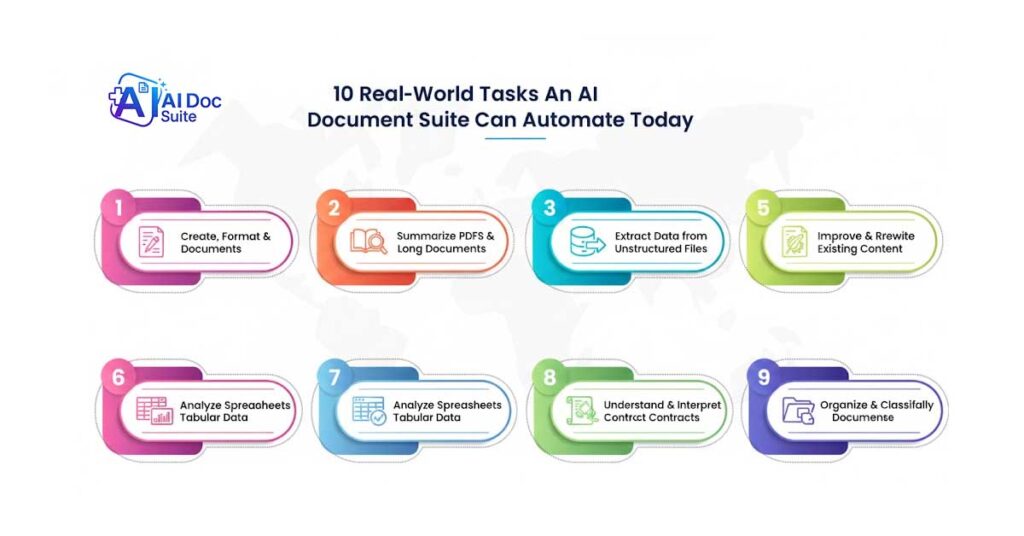
Below are ten powerful, real-world tasks an AI Document Suite can already automate today — and why this level of document intelligence matters in modern workflows.
1. Automating Document Creation, Formatting, and Enhancement
Document creation involves far more than typing text. Structure, layout, clarity, tone, and consistency all play a critical role.
An AI Document Suite can automatically:
- Generate documents such as invoices, proposals, reports, and standard letters
- Apply professional formatting, layout, and consistent structure
- Improve grammar, clarity, and tone instantly
- Enhance readability without altering meaning
- Maintain a uniform style across all documents
Instead of starting from blank pages or rigid templates, users provide intent or data — and the AI produces a polished, ready-to-use document in seconds.
2. Reading and Summarizing Complex Documents and PDFs
Long documents slow down decision-making and consume valuable time.
AI Document Suites can instantly read entire PDFs, reports, or contracts and generate concise summaries that highlight:
- Key points and executive insights
- Important clauses and obligations
- Decisions, risks, and critical sections
This allows professionals to understand complex documentation in minutes instead of hours.
3. Extracting Structured Data from Unstructured Files
Manual data extraction from invoices, receipts, and forms is tedious and error-prone.
An AI Document Suite can automatically extract:
- Dates, names, totals, and key values
- Tables and datasets from PDFs and scanned files
- Contract fields and invoice details
The extracted information is converted into clean, structured data ready for spreadsheets, databases, or downstream systems — eliminating repetitive copy-paste work.
4. Intelligently Converting Documents Between Formats
Document conversion today is about preserving intelligence, not just changing file types.
AI Document Suites can:
- Convert PDFs into fully editable Word or Docs files
- Transform reports into structured spreadsheets
- Turn dense documents into presentation-ready slides
Throughout the conversion process, context, layout, tables, and meaning are preserved, not just raw text.
5. Improving and Rewriting Existing Content for Clarity
Many organizations already have content that needs improvement rather than replacement.
An AI Document Suite can:
- Rewrite content for clarity and professionalism
- Simplify complex or technical language
- Adjust tone for different audiences
- Improve flow without changing intent
This is especially useful for internal documentation, reports, policies, and customer-facing communication.
6. Analyzing Spreadsheets and Tabular Data Using Natural Language
Spreadsheets often hide valuable insights behind complex formulas and dense rows.
AI Document Suites allow users to:
- Analyze spreadsheet data without formulas
- Explain trends and anomalies in plain language
- Summarize key financial or operational findings
- Ask questions and get instant answers
This makes data analysis accessible even to non-technical users.
7. Automating Repetitive Document Workflows
Routine document workflows consume significant time across organizations.
AI Document Suites can automate:
- Document generation and update sequences
- Review preparation and version changes
- Standard approval and filing processes
Automation reduces delays, minimizes human error, and improves operational consistency across teams.
8. Understanding, Interpreting, and Summarizing Contracts
Contracts are complex, and misinterpretation can introduce serious risk.
AI Document Suites help by:
- Highlighting key clauses and deadlines
- Flagging unusual or non-standard terms
- Summarizing obligations and contract intent
This improves clarity and efficiency while supporting — not replacing — legal expertise.
9. Organizing and Classifying Documents Automatically at Scale
As document volume grows, manual organization becomes ineffective.
AI Document Suites automatically:
- Categorize documents by content and type
- Apply intelligent tags and metadata
- Improve search, discovery, and retrieval speed
This ensures document libraries remain manageable as organizations scale.
10. Acting as a Unified Document Intelligence Workspace
Perhaps the most important automation is tool consolidation.
Instead of switching between separate apps, an AI Document Suite provides one environment for:
- Writing and editing
- Reading and summarizing
- Enhancing and rewriting
- Analyzing data
- Converting and managing documents
This reduces tool fragmentation, lowers costs, and dramatically improves productivity.
Why AI Document Suite Automations Matter Today
Document work has evolved from simple file handling to complex information processing.
AI Document Suites move organizations from:
- Manual work → Intelligent automation
- Fragmented tools → Unified workflows
- Repetitive tasks → Strategic focus
Industry research consistently highlights intelligent document processing as a key productivity driver. For example, Gartner explains how AI-driven document automation reduces operational friction and accelerates decision-making:
intelligent document processing
By automating document-centric tasks, teams spend less time managing files and more time analyzing information, solving problems, and driving business value.
Final Thoughts
The AI Document Suite is no longer an experimental concept. It is rapidly becoming the default workspace for modern document workflows.
Platforms like AI Doc Suite are built around a clear mission: to simplify document work while preserving accuracy, privacy, and control. If you want to understand the vision, principles, and long-term direction behind the platform, you can learn more on the About Us page:
👉 https://aidocsuite.com/about-us
The true value of an AI Document Suite lies not just in speed, but in its ability to understand, enhance, and automate documents at scale — reliably, consistently, and intelligently.
Tags: