10 Powerful Real-World Tasks an AI Document Suite Can Automate Today
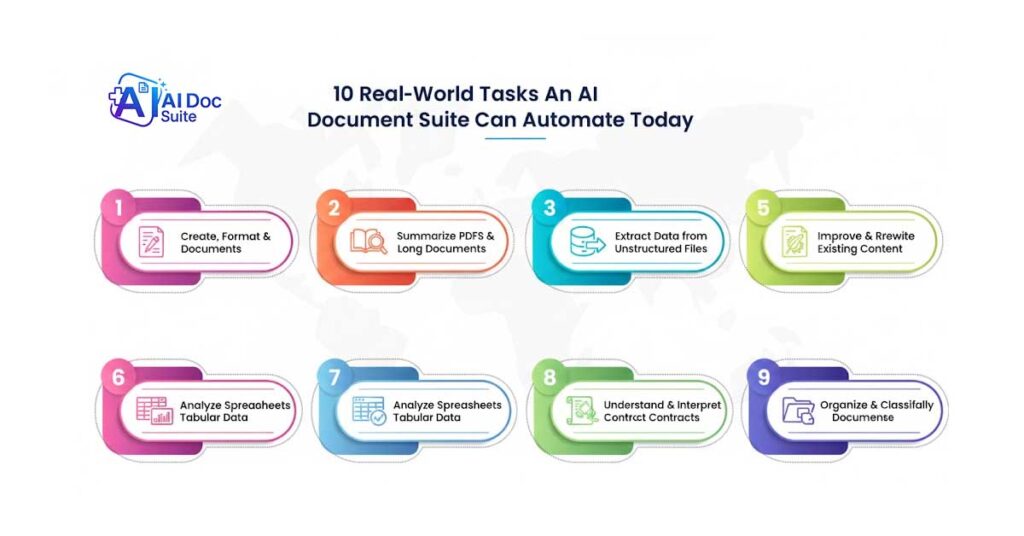
(aidocsuite.com) – Modern work revolves around documents — contracts, reports, invoices, spreadsheets, PDFs, and everyday written communication. Yet many professionals still manage these files manually, spending hours formatting documents, rewriting content, reviewing lengthy reports, and extracting information from files.
This traditional approach is slow, inefficient, and increasingly unsustainable in today’s fast-moving digital environment.
An AI Document Suite changes this workflow entirely.
Instead of acting as a simple writing assistant, an AI-powered document platform becomes an intelligent workspace capable of creating, analyzing, improving, converting, and organizing documents from start to finish. Rather than switching between multiple disconnected tools, modern AI platforms combine document workflows into a single unified environment.
Platforms such as AI Doc Suite bring together document generation, formatting, analysis, and automation into a browser-based workspace designed for professionals and teams.
Explore the available tools here:
https://aidocsuite.com/tools
Below are ten practical tasks modern AI document automation platforms can already perform today.
Table of Contents
- AI Document Suite: Automating Document Creation
- AI Document Suite: Reading and Summarizing Documents
- Extracting Structured Data from Documents
- Intelligent Document Format Conversion
- Improving and Rewriting Written Content
- Spreadsheet Analysis Using Natural Language
- Automating Document Workflows
- Contract Understanding and Summarization
- Automatic Document Organization
- AI Document Suite: Unified Document Workspace
AI Document Suite: Automating Document Creation
Creating professional documents requires structure, formatting, tone, and clarity. Modern AI document automation tools can generate structured content for many common business documents.
For example, an AI-powered document platform can automatically generate:
• invoices and billing documents
• proposals and reports
• standard business letters
• formatted documentation templates
Instead of starting with blank pages, users can provide instructions or input data and the system generates a structured document instantly.
AI Document Suite: Reading and Summarizing Documents
Long reports and PDFs often require significant time to review. AI document automation tools can analyze large files and produce summaries that highlight key insights.
Typical capabilities include:
• identifying key findings
• summarizing important sections
• extracting decisions or conclusions
• highlighting critical clauses
This allows professionals to understand complex documents far more quickly.
Extracting Structured Data from Documents
Many organizations still manually copy information from invoices, forms, and contracts.
Modern document automation systems can extract:
• dates and financial values
• names and addresses
• invoice totals and transaction data
• tables and structured datasets
The extracted information can be exported into spreadsheets or databases, reducing repetitive data entry and improving accuracy.
Intelligent Document Format Conversion
Traditional converters often break formatting during file conversion.
AI-powered document tools can convert files while preserving document structure.
Common examples include:
• converting PDFs into editable Word documents
• transforming reports into spreadsheets
• converting documents into presentation slides
Unlike basic converters, AI understands layout, tables, and formatting.
Improving and Rewriting Written Content
Many organizations need to improve existing documentation rather than create new content from scratch.
AI document automation tools can:
• rewrite content for clarity
• simplify technical language
• adjust tone for different audiences
• improve readability
This is useful for documentation, reports, internal policies, and communication materials.
Spreadsheet Analysis Using Natural Language
Spreadsheets contain valuable insights but often require formulas and technical skills to interpret.
AI document platforms allow users to analyze spreadsheet data using natural language queries.
Users can:
• identify patterns and trends
• summarize key metrics
• explain anomalies in datasets
• ask questions about data
This makes data analysis accessible to a wider range of users.
Automating Document Workflows
Document processes such as reviews, approvals, and updates consume significant time.
Automation systems can manage tasks such as:
• document generation
• version tracking
• approval preparation
• file categorization
Automation reduces delays and improves operational consistency.
Contract Understanding and Summarization
Contracts can be complex and difficult to interpret quickly.
AI systems assist professionals by:
• highlighting important clauses
• identifying unusual terms
• summarizing obligations
• providing quick contract overviews
These insights help professionals review agreements faster.
Automatic Document Organization
As document libraries grow, manual organization becomes inefficient.
AI-driven document management systems can automatically:
• categorize documents by content
• apply metadata and tags
• improve document search
• maintain structured document repositories
This ensures large document collections remain manageable.
AI Document Suite: Unified Document Workspace
One of the most important advantages of an AI Document Suite is tool consolidation.
Instead of using multiple separate applications, professionals can manage document tasks within a single environment.
A unified workspace supports:
• document writing and editing
• document summarization
• data analysis
• file conversion
• document management
This reduces software fragmentation and improves productivity.
Why AI Document Automation Matters
Document workflows have evolved from simple file handling to complex information processing.
AI-driven automation allows organizations to move from:
manual document work → intelligent automation
fragmented tools → unified workflows
repetitive tasks → strategic work
Industry research highlights intelligent document processing as a major productivity driver.
Learn more about this technology here:
https://www.gartner.com/en/information-technology/glossary/intelligent-document-processing
Additional background information is available here:
https://en.wikipedia.org/wiki/Intelligent_document_processing
By automating document-centric tasks, teams spend less time managing files and more time focusing on analysis and decision-making.
Final Thoughts
The AI Document Suite is rapidly becoming the standard environment for modern document workflows.
Platforms such as AI Doc Suite aim to simplify document work while maintaining accuracy, privacy, and control.
Learn more about the platform here:
https://aidocsuite.com/about-us
Ultimately, the value of modern document automation lies not just in speed, but in the ability to understand, enhance, and manage documents intelligently at scale.
Tags: