Spreadsheet Power in 2026: How AI Doc Suite Boosts Productivity
What Is a Spreadsheet?
(Aidocsuite.com) – A spreadsheet is a digital tool used to organize, store, calculate, and analyze data in a structured, tabular format. It serves as the modern electronic version of a paper ledger, where information is arranged into rows and columns for clarity, accuracy, and efficiency.
Spreadsheets are a core component of modern productivity. They are widely used across education, business, finance, data analysis, and daily workflows, making them one of the most universal and enduring digital tools.
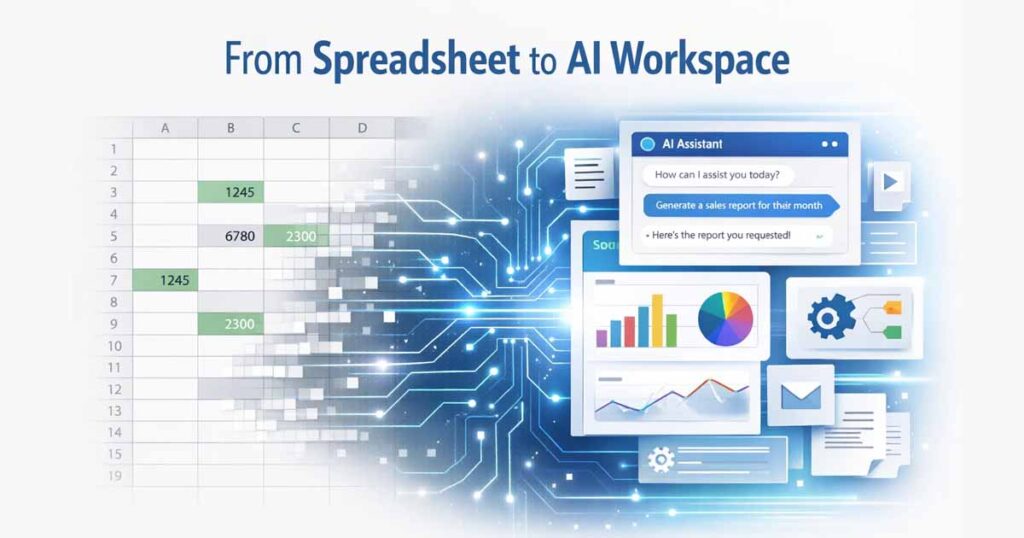
However, in 2026, spreadsheets are no longer limited to static grids. With AI-powered platforms like AI Doc Suite, spreadsheets are evolving into intelligent, automated workspaces that go far beyond manual data entry.
How a Spreadsheet Works
At its foundation, a spreadsheet operates on a structured grid that allows users to enter, reference, and process data dynamically.
1. Cells: The Core Data Units
Cells are the individual boxes where data resides. Each cell can contain:
- Text
- Numbers
- Dates
- Formulas or logic
Every cell has a unique address, such as A1 (Column A, Row 1), enabling data to be linked, reused, and calculated across the entire document.
2. Rows and Columns: The Structure
- Rows run horizontally and are labeled numerically (1, 2, 3…).
- Columns run vertically and are labeled alphabetically (A, B, C…).
This grid-based structure keeps both small datasets and large data tables organized and readable.
3. Formulas and Functions: The Intelligence Layer
Formulas allow spreadsheets to perform calculations automatically.
For example:
=A1+B1
This formula calculates values instantly and updates results automatically when the source data changes.
Functions such as SUM, AVERAGE, and IF introduce logic, aggregation, and conditional processing—turning spreadsheets into powerful calculation engines.
4. Worksheets and Workbooks
- A worksheet is a single spreadsheet page.
- A workbook is a file that contains multiple worksheets.
This hierarchy helps users organize related datasets—such as monthly reports or yearly finances—within one file.
Common Uses of Spreadsheets Today
Spreadsheets are used far beyond basic accounting and bookkeeping.
Finance & Accounting
- Budget planning
- Expense tracking
- Invoice and salary management
Data Analysis
- Sorting and filtering large datasets
- Identifying trends and anomalies
- Comparing metrics and performance
Visualization
- Creating charts and graphs
- Converting raw numbers into visual insights
Organization & Operations
- Contact databases
- Project timelines
- Inventory and task tracking
Traditional Spreadsheet Tools
Some of the most commonly used spreadsheet platforms include:
- Microsoft Excel – Powerful desktop-based spreadsheets with advanced features
- Google Sheets – Cloud-based spreadsheets designed for collaboration
- LibreOffice Calc – A free, open-source alternative
While these tools are effective, they still depend heavily on manual formulas, repetitive input, and user-driven logic, which can slow down modern workflows.
How AI Doc Suite Is Redefining Spreadsheet Productivity
This is where AI Doc Suite fundamentally changes how spreadsheets are used.
Instead of treating spreadsheets as static grids, AI Doc Suite transforms them into AI-assisted, intelligent productivity assets—capable of creation, analysis, and conversion in a single workflow.
AI Doc Suite is a browser-based, login-free workspace that integrates 30+ AI-powered tools for documents, spreadsheets, images, audio, and media—without installations or subscriptions.
Key Ways AI Doc Suite Transforms Spreadsheets
1. Automated Spreadsheet Creation
- AI Excel Generator creates budgets, tables, and datasets using natural-language prompts
- Instant formatting and layout eliminate manual styling
- Image-to-table conversion turns data from images, PDFs, or scans into editable XLSX or CSV files
2. Intelligent Data Analysis & Formula Generation
- Formula automation lets users describe calculations in plain language
- AI-generated insights identify trends and patterns in large datasets
- Context-aware processing powered by the fdmGTP engine ensures accurate interpretation
3. Unified, Browser-Based Workflow
- No installation or setup required
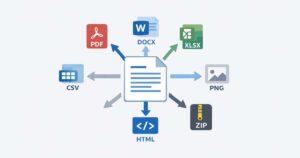
- Seamless movement between spreadsheets, documents, PDFs, and presentations
- Cross-format export compatible with Excel, Google Sheets, and PDF
4. Enhanced Efficiency & Accessibility
- Free, watermark-free usage for rapid tasks
- Optional voice-controlled editing for hands-free data manipulation
- Designed for professionals, creators, and teams who value speed and clarity
With AI Doc Suite, spreadsheet data becomes actionable content, not just numbers in a grid.
Why Spreadsheets Still Matter in the AI Era
Even as AI tools advance, spreadsheets remain the foundation of structured data.
AI does not replace spreadsheets—it amplifies their value.
By combining spreadsheet reliability with AI-driven automation, platforms like AI Doc Suite represent the next generation of productivity, where data moves seamlessly from analysis to execution.
Final Thoughts
A spreadsheet is more than rows and columns—it is a system for thinking with data.
With AI Doc Suite, spreadsheets evolve from manual tools into adaptive, intelligent workspaces that help users work faster, reduce errors, and unlock insights effortlessly.
Tags: