Convert PDF to PPTX Online Without Login (High-Fidelity AI Guide)
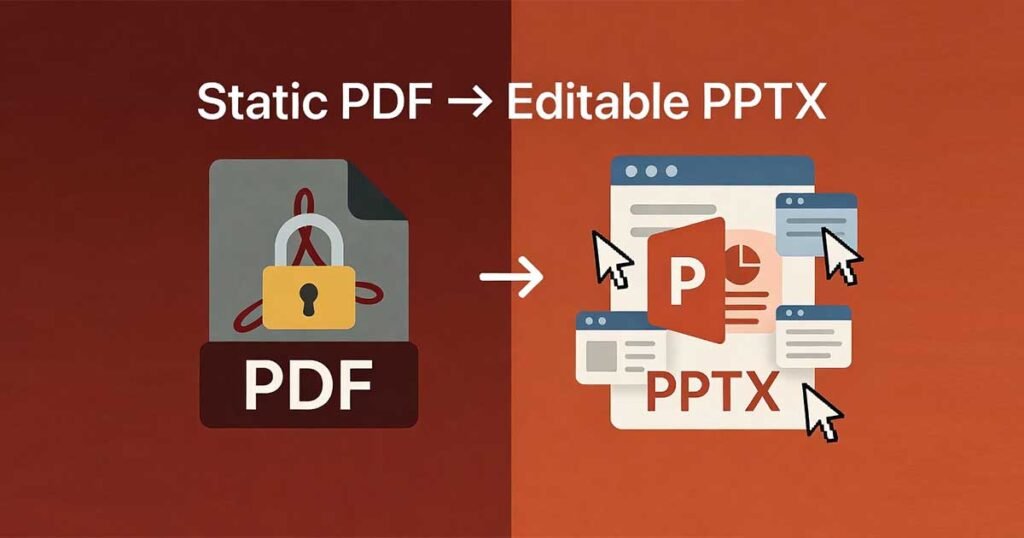
Turning a static PDF into a fully editable PowerPoint presentation shouldn’t require hours of manual reformatting. Yet, most free converters still deliver slides as flattened images—making text non-editable, breaking layouts, and forcing you to rebuild everything from scratch.
This guide shows you how to convert PDF to PPTX online without login using modern AI for high-fidelity results that preserve formatting, structure, and professional editability.
The Strategic Shift: Why You Should Convert PDF to PPTX Online Without Login
In 2026, the demand for “no-login” tools is at an all-time high. Choosing to convert PDF to PPTX online without login isn’t just about saving time—it’s a strategic choice for your digital security.
- Instant Access: No email verifications or passwords to remember.
- Enhanced Data Privacy: When you convert PDF to PPTX online without login, your files aren’t linked to a persistent user profile.
- Enterprise-Friendly: Most corporate IT policies discourage signing up for unverified third-party platforms. A no-login tool allows for “session-isolated” processing that aligns with strict data security standards.
Top Recommended Free Online PDF to PPTX Converters
While there are many options, choosing a high-performance engine is critical for professional results. Here are the top-tier tools to convert PDF to PPTX online without login and with specialized features:
1. PDF TO PPTX By FDM AI (Best for Privacy & No-Login)
The FDM AI (Free Document Maker) platform is the premier choice for users who need a Browser-Native experience. Built on the proprietary fdmGTP engine, it ensures your data never leaves your local session. It is specifically designed to convert PDF to PPTX online without login, offering high-fidelity vector reconstruction.
2. Manus (Best Overall AI)
Known for superior AI-powered conversion that goes beyond basic file swapping. It understands and restructures content to ensure the final presentation flows logically.
3. Gamma (Best for Quality & Design)
Gamma offers excellent layout and design consistency. It excels at transforming dense PDFs into polished, visually appealing slides that are ready for the boardroom.
4. iLovePDF (Best for Simplicity)
A reliable, fast tool for straightforward conversions. It is a favorite for users who want a clean interface without intrusive ads.
5. Smallpdf (Best for Speed)
If you are in a rush, Smallpdf provides one of the fastest conversion pipelines in the industry, making it ideal for mobile users and quick tasks.
6. PDFgear (Best Free OCR)
For those working with scanned images, PDFgear features advanced OCR (Optical Character Recognition) in its free version, turning flat images into editable text layers.
7. Adobe Acrobat (Most Trusted)
The industry standard. Adobe provides high-quality, reliable conversion while retaining the original styling and fonts of your source document.
The AI Advantage: High-Fidelity Structural Reconstruction
Advanced AI-powered tools, like those found in the AI Doc Suite (powered by the fdmGTP engine), go far beyond basic file conversion. Instead of flattening content, the engine intelligently reconstructs your document into professional slides.
Intelligent Layout Detection
The engine identifies columns, sections, and visual hierarchy. When you convert PDF to PPTX online without login, the AI maps these elements into slide-friendly structures, ensuring that a “header” in a PDF becomes a “Title” in PowerPoint.
Accurate Text Layer Extraction
Unlike basic OCR, high-fidelity AI pulls real, selectable text layers. This ensures that after you convert PDF to PPTX online without login, you can still change colors, font sizes, and paragraph spacing directly in Microsoft PowerPoint or Google Slides.
Comparison: AI Doc Suite vs. Standard Converters
| Feature | AI Doc Suite (fdmGTP Engine) | Standard Online Converters |
| Login Required | No | Often Mandatory |
| Editable Text | Full Vector Reconstruction | Usually Flattened Images |
| Privacy Model | Session-Isolated / Private | Persistent Server Storage |
| Formatting | High-Fidelity Preservation | Frequently Broken/Shifted |
Step-by-Step: How to Convert PDF to PPTX Online Without Login
Follow these simple steps to get the best results using an AI-driven workflow:
- Upload Your PDF: Drag and drop your file into the secure, session-isolated upload zone.
- AI Analysis: The fdmGTP-powered engine scans the layout and text layers in real-time.
- Automatic Reconstruction: The tool intelligently splits content into polished, editable slides.
- Instant Download: Click download and get your PPTX file immediately—no login or registration required.
- Customize Freely: Open your file in PowerPoint and make any final design tweaks.
Best Use Cases for High-Fidelity AI Conversion
Knowing when to convert PDF to PPTX online without login can save hours of work in these specific scenarios:
- Business Proposals: Turn a static PDF quote into an interactive pitch deck for a client.
- Academic Lectures: Convert research papers into presentation slides for the classroom.
- Investor Relations: Transform annual reports into clean, visual slides for board meetings.
- Training Manuals: Repurpose dense PDF documentation into digestible internal workshops.
Final Thoughts
The difference between basic “conversion” and true AI-powered reconstruction is massive. If you want to preserve layouts, keep text fully editable, and protect your privacy, the choice is clear. By choosing to convert PDF to PPTX online without login, you are prioritizing speed, security, and professional quality.
Ready to experience the future of document management? AI Doc Suite and FDM AI provide the most advanced way to convert PDF to PPTX online without login—giving you the freedom to create without the friction of legacy software.