A Complete Guide to Document Export Formats and Their Uses
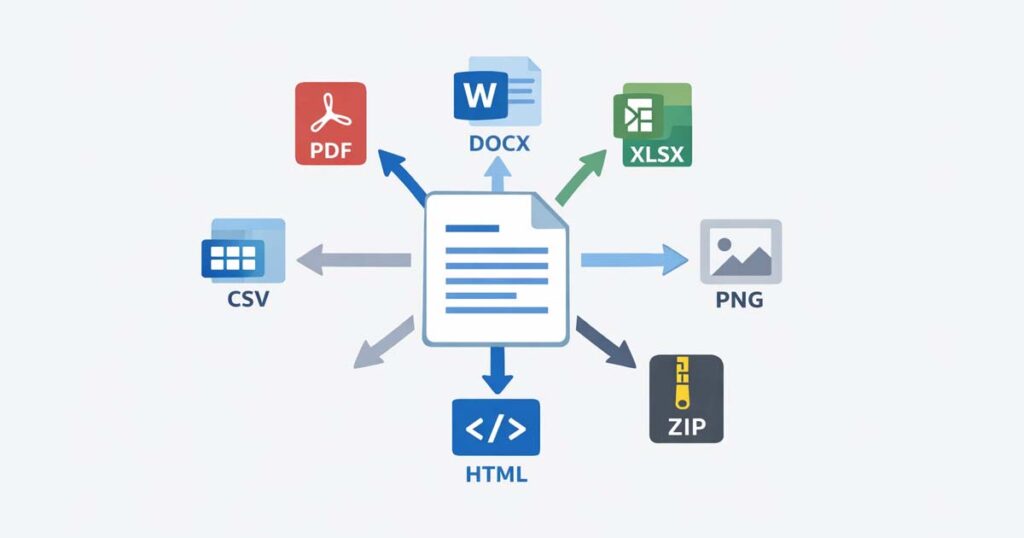
(Aidocsuite.com) – Creating a document is only half the job. The real decision comes when you need to export it. Choosing the wrong format can break layouts, lose data, or make files difficult to share. That’s why understanding document export formats is essential for anyone working with digital files.
This guide explains what document export formats are, the most common types, and when to use each format based on layout, editability, data handling, and compatibility.
What Are Document Export Formats?
Document export formats define how content is saved when moving it from one application to another. They control how a document looks, whether it can be edited, how data is structured, and how easily it can be shared.
Exporting often converts an active document into:
- A static format (for sharing)
- A structured data format (for analysis)
- A compressed format (for storage or transfer)
The correct export format depends entirely on the document’s purpose.
Common Document Export Formats
These formats are mainly used for text documents and layout preservation.
Portable Document Format (PDF)
PDF is the most widely used export format for sharing documents. It preserves layout, fonts, images, and spacing across all devices.
Best for:
- Contracts and reports
- Official documents
- Printing and sharing
Microsoft Word (DOCX / DOC)
DOCX is the standard editable document format used by word processors.
Best for:
- Draft documents
- Collaborative editing
- Content revisions
Rich Text Format (RTF)
RTF retains basic formatting while remaining compatible with most text editors.
Best for:
- Cross-platform text sharing
- Simple formatted documents
Plain Text (TXT)
TXT files contain only raw text without formatting.
Best for:
- Maximum compatibility
- Notes and logs
- Developer use cases
HTML / HTM
HTML is designed for web browsers and online publishing.
Best for:
- Web content
- Emails and articles
- Browser-based documents
Data and Spreadsheet Export Formats
These formats focus on data structure rather than visual appearance.
Excel (XLSX / XLS)
Excel formats preserve tables, formulas, and calculations.
Best for:
- Financial data
- Reports with formulas
- Business analysis
CSV (Comma-Separated Values)
CSV stores raw tabular data in plain text.
Best for:
- Database imports
- Data exchange between systems
- Spreadsheet transfers
TSV (Tab-Separated Values)
Similar to CSV but uses tabs instead of commas.
Best for:
- Large datasets
- System-level data handling
XML (Extensible Markup Language)
XML uses structured tags to describe data.
Best for:
- System integrations
- Data exchange between applications
Image and Design Export Formats
These formats are used when documents are exported as visual assets.
PNG / JPG / JPEG
Standard image formats for digital use.
Best for:
- Web images
- Screenshots
- Embedded document visuals
TIFF
A high-quality image format often used in print workflows.
Best for:
- Professional printing
- Archival images
SVG (Scalable Vector Graphics)
A vector-based format that scales without quality loss.
Best for:
- Logos and icons
- Responsive design
EPS (Encapsulated PostScript)
A professional print and design format.
Best for:
- Publishing and printing industries
Compressed Document Export Formats
These formats package multiple files into a single archive.
ZIP
The most widely supported compression format.
Best for:
- Sharing multiple documents
- Reducing file size
RAR / 7z
Advanced compression formats offering higher compression rates.
Best for:
- Large archives
- Secure file sharing
Specialized Document Export Formats
These formats serve technical or industry-specific needs.
JSON
A lightweight data-interchange format.
Best for:
- APIs
- Web applications
SQL Scripts
Exports database structures and records as commands.
Best for:
- Database migration
- Backup and restoration
ODS (OpenDocument Spreadsheet)
An open-source alternative to Excel.
Best for:
- LibreOffice users
- Open-source workflows
DWF / DGN
Engineering and CAD document formats.
Best for:
- Architecture
- Engineering drawings
How to Choose the Right Document Export Format
Use this simple decision guide:
- Choose PDF → when layout must stay fixed
- Choose DOCX → when editing is required
- Choose CSV / XML → when transferring data
- Choose HTML → for web publishing
- Choose ZIP → to bundle files
The correct choice depends on how the document will be used, not how it was created.
Modern Document Tools and Export Formats
Modern browser-based document tools allow users to export documents into multiple formats without installing software. These tools make it easy to switch between PDF, Word, images, and data formats instantly—saving time and reducing compatibility issues.
Final Thoughts
Document export formats play a critical role in how information is shared, edited, and preserved. Understanding the differences between formats helps prevent data loss, formatting errors, and workflow inefficiencies.
By choosing the right document export format for each task, users can ensure compatibility, clarity, and professional results across platforms. Explore AI Doc Suite Tools Also Free Document Maker’s Tools.
Tags: