Google Docs vs Microsoft 365 vs AI Doc Suite — Which Platform Wins in 2025?
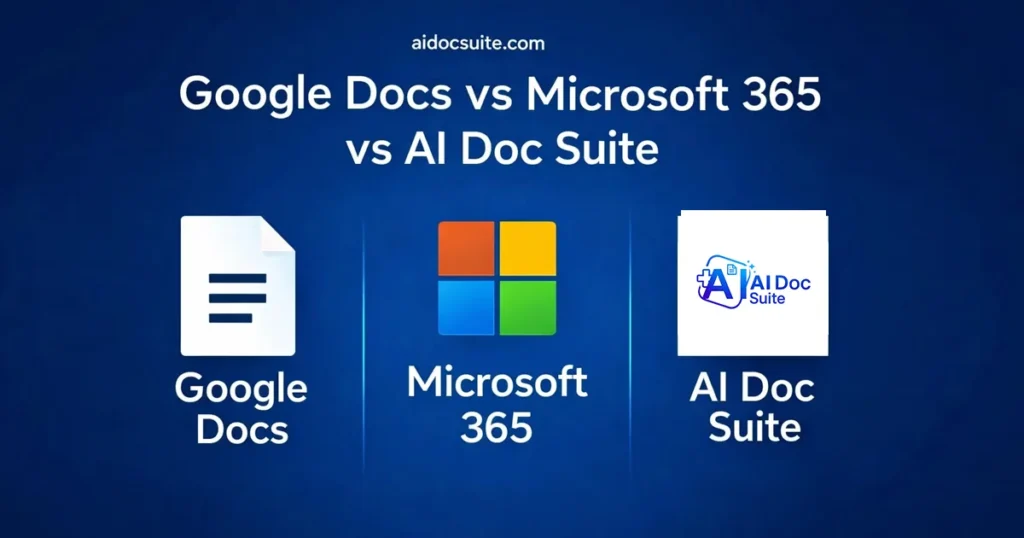
Google Docs vs Microsoft 365 vs AI Doc Suite is becoming one of the most important comparisons in modern productivity software.
For more than a decade, the productivity landscape has largely been defined by two major ecosystems: Google Workspace and Microsoft 365. Google Docs helped popularize cloud-based collaboration, while Microsoft Office remained the gold standard for enterprise productivity.
But in 2025, the landscape is evolving rapidly.
A new generation of productivity tools is emerging — platforms built around AI automation, browser-native workflows, and instant content generation.
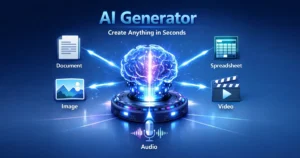
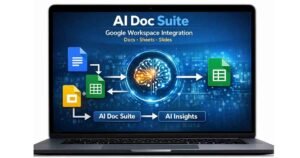
One of the most notable new entrants is AI Doc Suite, an AI-powered productivity workspace that combines document creation, spreadsheets, presentations, media tools, and automation into a single browser-based ecosystem powered by the fdmGTP engine.
Because of this shift, the conversation is no longer just about Google Docs vs Microsoft Office.
The real question is now:
Google Docs vs Microsoft 365 vs AI Doc Suite — which platform leads the new era of productivity?
Let’s break it down.
Google Docs vs Microsoft 365 vs AI Doc Suite: Platform Overview
Google Docs
Google Docs is a cloud-based document editor that operates inside the Google Workspace ecosystem alongside tools like Google Drive, Sheets, and Gmail.
It is widely used by students, remote teams, and organizations that rely heavily on real-time collaboration.
Strengths
• Real-time collaboration with multiple users
• Clean and easy-to-use interface
• Deep integration with the Google ecosystem
• Cloud-first design
Weaknesses
• Limited advanced formatting options
• Requires a Google account login
• AI features still developing compared to newer tools
Microsoft 365 (Word, Excel, PowerPoint)
Microsoft 365 remains the enterprise standard for productivity software.
It combines desktop applications with cloud collaboration features and offers powerful tools for document formatting, spreadsheets, presentations, and analytics.
Strengths
• Advanced formatting capabilities
• Industry-leading spreadsheet functionality with Excel
• Hybrid desktop and cloud workflow
• Strong enterprise integrations
Weaknesses
• Subscription-based pricing
• Steeper learning curve for beginners
• Heavier applications compared to browser tools
AI Doc Suite (Powered by fdmGTP)
AI Doc Suite represents a new generation of AI-first productivity platforms.
Instead of manually creating documents or presentations, users can generate structured content using AI prompts and automation tools.
The platform runs entirely in the browser and combines multiple productivity modules in one environment.
Strengths
• No login required
• No software installation
• AI generates documents, spreadsheets, and slides automatically
• Built-in media tools (image, audio, and video conversion)
• Powered by the fdmGTP AI engine
Weaknesses
• Newer ecosystem compared to legacy platforms
• Fewer enterprise integrations (currently)
Feature Comparison (2025)
| Feature | Google Docs | Microsoft 365 | AI Doc Suite |
|---|---|---|---|
| Real-time collaboration | ✔ | ✔ | ✔ |
| Offline editing | Limited | Full | Browser-based |
| AI writing tools | Basic | Copilot | Advanced AI generation |
| Spreadsheet tools | Average | Best (Excel) | AI-generated sheets |
| Presentation tools | Good | Best | AI slide generator |
| PDF editor | Limited | Moderate | Built-in AI PDF generator |
| Media tools | ❌ | ❌ | Image, audio, video tools |
| Login required | ✔ | ✔ | ❌ |
| Platform type | Cloud apps | Desktop + Cloud | AI workspace |
| Pricing | Free / Paid | Subscription | Free + Pro tools |
AI Capabilities Comparison
Artificial intelligence has become the main battleground for productivity software.
Google Docs AI (Gemini)
Google has integrated Gemini into Google Docs to assist with writing tasks.
Capabilities include:
• Text summaries
• Tone adjustments
• Basic writing suggestions
While helpful, these features mainly assist with editing rather than generating complete documents.
Microsoft 365 AI (Copilot)
Microsoft Copilot integrates AI into Word, Excel, and PowerPoint.
Capabilities include:
• Document editing assistance
• Excel insights and data analysis
• PowerPoint slide generation
Copilot is powerful, particularly for business users.
AI Doc Suite AI (fdmGTP Engine)
AI Doc Suite takes a more automation-first approach.
Capabilities include:
• Generate entire documents from prompts
• Create presentations automatically
• Build spreadsheets using natural language commands
• Convert images, audio, and video files instantly
• Smart layout formatting and document structure
Because of this automation approach, AI Doc Suite often focuses on speed and workflow efficiency.
Winner for AI automation: AI Doc Suite
Runner-up: Microsoft 365
Basic AI tools: Google Docs
Pricing Comparison
| Platform | Free Plan | Paid Plan |
|---|---|---|
| Google Docs | ✔ | Workspace subscription |
| Microsoft 365 | ❌ | $6.99–$12.99/month |
| AI Doc Suite | ✔ | Affordable AI Pro tools |
Speed and Ease of Use
Google Docs
Fast and lightweight with a simple interface.
However, it may lack advanced features for complex workflows.
Microsoft 365
Powerful and feature-rich, but sometimes heavier and slower on lower-end devices.
AI Doc Suite
Designed as a browser-native AI workspace, allowing users to generate documents, slides, and spreadsheets instantly.
Because there is no installation or login requirement, it is ideal for fast content creation.
Who Should Use Each Platform?
Google Docs — Best for
✔ Students
✔ Basic document writing
✔ Lightweight collaboration
Microsoft 365 — Best for
✔ Businesses
✔ Advanced Excel workflows
✔ Professional document formatting
AI Doc Suite — Best for
✔ Freelancers
✔ Creators
✔ Entrepreneurs
✔ Students
✔ Anyone needing instant AI-generated documents, slides, or spreadsheets
It is especially useful for users who want:
• No login requirement
• No installation
• Fast AI-powered document generation
Final Verdict: Which Platform Wins in 2025?
Each platform continues to serve a different role in the productivity ecosystem.
Microsoft 365 remains the strongest solution for enterprise workflows that require advanced analytics and formatting.
Google Docs continues to dominate simple cloud-based collaboration.
But AI Doc Suite introduces a new category: AI-first productivity platforms.
Instead of manually building documents, spreadsheets, or presentations, users can generate structured content instantly using AI automation.
For freelancers, creators, students, and modern digital teams, this approach represents the next evolution of productivity software.
AI Doc Suite also helps reduce tool fragmentation by combining document creation, spreadsheets, presentations, PDF tools, media conversion, and automation inside one browser-native workspace.
Explore the tools here:
👉 https://aidocsuite.com/tools
Try AI Doc Suite Free
Create AI-generated documents, slides, spreadsheets, images, audio, and video in one workspace.
No installation required.
No login required.
Ultimately, the Google Docs vs Microsoft 365 vs AI Doc Suite debate highlights how AI automation is transforming the future of productivity software.
FAQ
What does AI Doc Suite do?
AI Doc Suite is a browser-based AI productivity platform that helps users create documents, presentations, spreadsheets, PDFs, and media content automatically. Instead of manually formatting files, users can generate structured output using AI tools directly in their browser.
Can I use AI Doc Suite without creating an account?
Yes. Many AI Doc Suite tools work instantly in the browser without requiring sign-up or software installation. This allows users to generate and convert files quickly without creating an account.
Which platform is better for real-time document collaboration?
Google Docs is widely known for its strong real-time collaboration features. Multiple users can edit documents simultaneously, making it popular among students, remote teams, and collaborative projects.
Which productivity platform offers the most AI automation?
Platforms like AI Doc Suite focus heavily on AI automation. Instead of only assisting with editing, AI tools can generate full documents, slides, spreadsheets, and media content based on prompts.
Do businesses still need Microsoft 365?
Microsoft 365 remains essential for many organizations that require advanced formatting, Excel analytics, and enterprise integrations. However, AI-driven platforms can complement traditional tools by speeding up content creation and automation tasks.
Tags: