Why Document Conversion Still Refuses to Disappear in Modern Workflows
(Aidocsuite.com) – Simple document conversion remains one of the most essential yet surprisingly overlooked components of modern digital workflows.
Despite the rise of advanced AI platforms, cloud collaboration tools, and automated productivity systems, a persistent challenge continues to interrupt everyday work: document format friction.
A file arrives as a PDF but needs editing in Word.
A finalized document must be published as HTML.
A report is shared as plain text for archiving.
Technical documentation must be converted into Markdown.
None of these formats are incorrect — each exists for a specific purpose. The real problem lies in moving between formats efficiently.
When file conversion fails, formatting breaks, content structure disappears, and users spend valuable time fixing problems that should never have occurred.
This is exactly why simple document conversion remains a cornerstone of the modern digital workspace.
The Reality of Living in a Multi-Format World
Most professionals do not choose document formats based on preference. Instead, formats are dictated by context, workflow requirements, and industry standards.
For example:
• Clients often send secured documents as PDF files
• Internal teams collaborate using DOCX with tracked changes
• Developers write documentation in Markdown
• Marketing teams publish content in HTML
• Compliance teams archive records in plain text
Each format serves a purpose.
The challenge is not the diversity of formats — it is the translation between them.
When translation fails:
• formatting breaks
• tables shift
• metadata disappears
• data becomes inconsistent
Instead of focusing on meaningful work, users spend time repairing documents that should have converted seamlessly.
From Occasional Task to Everyday Workflow
In the past, document conversion was an occasional task.
Today, it has become routine.
The shift toward remote work, cloud collaboration, and browser-based productivity tools means documents travel across more systems and devices than ever before.
A single document may move through several stages:
Drafted in DOCX → reviewed as PDF → published in HTML → archived in Markdown.
What used to be a small utility has now become core workflow infrastructure.
Document conversion is no longer a specialized task for technical teams. It is a daily requirement for professionals across industries.
Why Simplicity Is the Ultimate Feature
Many legacy document converters attempt to compete by adding complex settings, menus, and customization options.
Modern users usually want the opposite.
When someone needs to convert a file, they typically care about four things:
Predictability
The converted file should preserve the structure of the original document.
Clean Output
Formatting should remain intact without hidden characters or broken layouts.
Speed
Conversion should take seconds, not minutes.
Invisibility
The tool should work so smoothly that users barely notice it.
The best document conversion tools behave like invisible infrastructure — quietly enabling productivity without requiring attention.
How AI Is Redefining Document Conversion
Traditional converters treat documents as static files. They process characters or pixels without understanding structure.
Modern AI-powered document conversion systems treat documents as structured content.
AI-aware conversion can identify:
• heading hierarchy
• lists and tables
• section boundaries
• semantic meaning within content
Instead of simply copying characters from one format to another, AI performs a type of content-aware translation.
The result is significantly more accurate output with fewer formatting issues.
This shift represents one of the most important advancements in modern document workflows. Learn More From Wikiphidia.
The Impact of Browser-Based Productivity
The rise of browser-based productivity platforms has permanently changed user expectations.
Today, professionals expect tools to offer:
Instant Access
No installation or setup required.
Device Independence
Documents should work on laptops, tablets, and phones.
Low Friction
Minimal steps between uploading a file and receiving results.
As document workflows moved into the cloud, conversion tools followed the same path.
This change made document conversion:
• more accessible
• faster to use
• deeply integrated into daily workflows
Instead of downloading specialized software, users can now convert files instantly inside a browser.
Conversion as Quiet Infrastructure
Document conversion rarely receives recognition.
When it works perfectly, users barely notice it.
When it fails, however, it can derail an entire afternoon.
True productivity improvements often come from removing small, repeated obstacles rather than adding complex features.
By simplifying how documents move between formats, conversion tools help professionals focus on content, ideas, and collaboration instead of file mechanics.
In a world filled with countless document formats, effortless conversion is no longer a luxury — it is an expectation.
Try a Simple Browser-Based Document Converter
If seamless file translation matters in your workflow — whether for collaboration, publishing, or sharing — tools that make conversion fast, clean, and friction-free become extremely valuable.
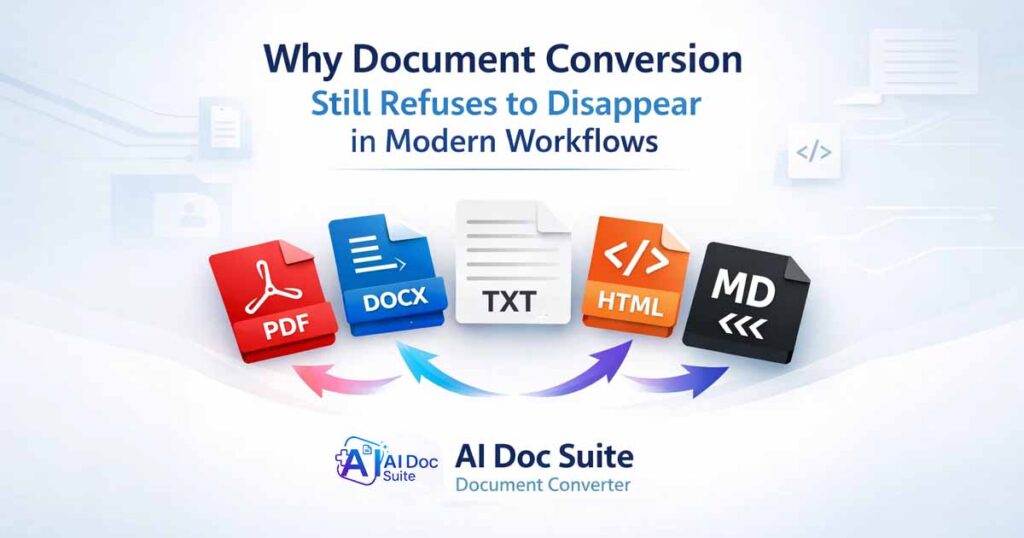
A browser-based converter can support major formats such as:
• PDF
• DOCX
• TXT
• HTML
• Markdown
without requiring installation or account creation.
Explore a simple document conversion and Core AI Tools Inside AI Doc Suite here:
👉 https://aidocsuite.com/tools
Convert your documents instantly with a browser-based document converter designed for speed, simplicity, and modern workflows. Try AI Doc Suite Document Converter free.
FAQ
Why is document conversion still important?
Document conversion remains important because modern workflows involve multiple file formats such as PDF, DOCX, HTML, TXT, and Markdown. Converting between formats allows teams to collaborate, publish, and archive documents efficiently.
What are the most common document formats used today?
Common formats include PDF for sharing, DOCX for editing, HTML for web publishing, Markdown for technical documentation, and TXT for simple archiving.
How does AI improve document conversion?
AI-powered converters can recognize headings, lists, tables, and document structure. This allows the system to translate content between formats more accurately without breaking formatting.
Are browser-based document converters reliable?
Modern browser-based converters are highly reliable and convenient because they require no installation while supporting fast cloud-based processing across multiple devices.
What formats should a good document converter support?
A modern document converter should support widely used formats like PDF, DOCX, TXT, HTML, and Markdown to ensure compatibility across collaboration, publishing, and archiving workflows.