How to Format an APA Paper Fast (Step-by-Step Layout Guide)
If you need to learn how to format an apa paper quickly, you are in the right place. Writing a brilliant research paper takes enough mental energy without worrying if your margins are exactly 1 inch or if your running head aligns properly.
APA style (American Psychological Association) is the most widely used formatting system for academic papers in the social sciences. Yet, millions of students lose valuable grade points every year simply because they don’t know how to format an apa paper according to strict institutional guidelines.
If you are tired of fighting with rigid word processors, you don’t have to do it manually.
💡 The Fast Track: Don’t waste hours adjusting indents and line spacings from scratch. Open our Free Document Editor to launch a flawless academic layout instantly, or let our AI Document Writer generate a clean draft for you in seconds.
How to Format an APA Paper: The Core Rules
Before diving into the text sections, ensure your document application settings match these foundational rules. Mastering how to format an apa paper requires setting up these universal constants across the entire document:
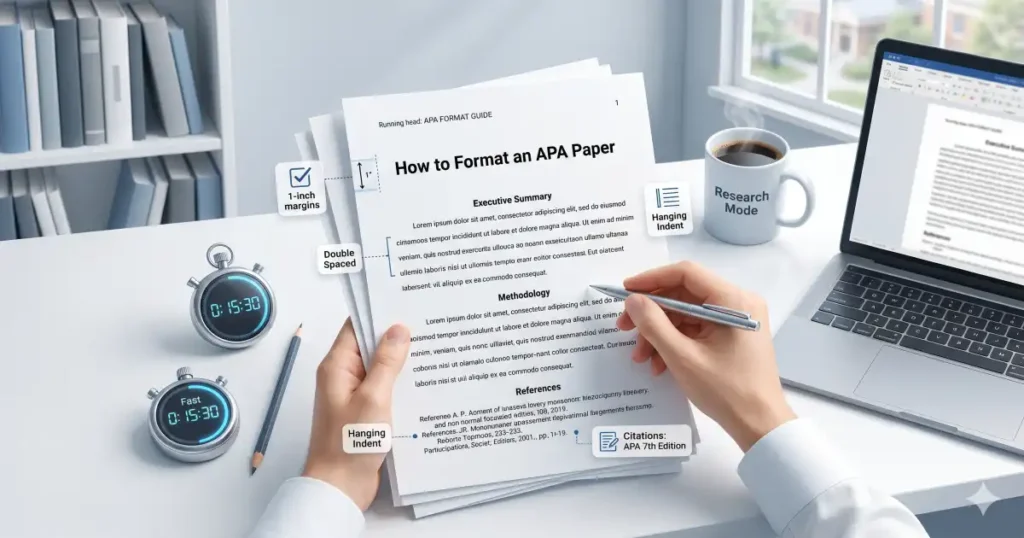
- Margins: Exactly 1 inch (2.54 cm) on all four sides.
- Fonts: Use a highly legible font throughout. Standard choices include 12 pt Times New Roman, 11 pt Calibri, or 11 pt Arial.
- Line Spacing: Double-spacing across the entire paper, including the title page, abstract, and references.
- Page Numbers: Placed in the top right corner of every single page header, starting with page 1 on the title page.
The 4 Essential Sections of an APA Style Research Paper
A comprehensive APA style research paper is divided into four structural components. Keeping these sections clearly segmented helps readers navigate your study effectively.
1. The Title Page (Student Version)
The title page must contain the paper title (bolded and centered), your name, your department and institutional affiliation, the course number and name, the instructor’s name, and the assignment due date. Place these details in the top half of the page.
2. The Abstract
An abstract is a concise, single-paragraph summary of your entire paper. It should range between 150 and 250 words, detailing your research question, methodology, key findings, and final conclusions. The paragraph should not be indented.
3. The Main Body
This is where your core thesis, literature review, methodology, and discussions live. When learning how to format an apa paper, ensure that all headings follow the official APA five-level hierarchy system to organize your thoughts logically.
4. The References Page
Every source cited in your text must appear on your reference list. The page must be titled “References” (centered and bolded), alphabetized by the author’s last name, and formatted with a hanging indent (where the first line is flush left and subsequent lines are indented 0.5 inches).
Free APA Format Template (Copy & Paste)
Use this universal raw text framework to skip the structural setup. Copy the block below, paste it directly into your layout editor, and replace the bracketed placeholders with your actual data.
Markdown
[Page Number: 1]

# [Title of Your Research Paper: Bolded, Centered, Capitalized]

**Author Name:** [Your First and Last Name]
**Institution:** [Department Name, University Name]
**Course Details:** [Course Code: Course Title]
**Instructor:** [Professor's Full Name]
**Due Date:** [Month Day, Year]

---

[Page Number: 2]

## Abstract
[Write a concise 150 to 250-word summary of your research paper here. Do not indent this first paragraph. Clearly state your primary research objective, methods utilized, data collection process, primary findings, and ultimate conclusions. Finish this section with a short list of keywords below.]

*Keywords: [keyword 1, keyword 2, keyword 3, keyword 4]*

---

[Page Number: 3]

## [Title of Your Research Paper Restated Here in Bold]
[Begin your main introduction paragraph here. Remember to indent the first line of every new paragraph by exactly 0.5 inches. Maintain strict double-spacing throughout your text. When citing sources internally, remember to use parenthetical in-text citations, such as (Author, Year) or (Author, Year, p. X) for direct quotes.]

## Literature Review
[Use Level 2 headers like this one for main sub-sections. Analyze existing academic perspectives, contrast conflicting methodologies, and outline the exact gaps in current literature that your paper intends to address.]

## Methodology
[Detail your specific experimental design, participant metrics, data tracking tools, and procedural workflows here. Provide enough technical clarity so that another researcher could replicate your exact study structure.]

---

[Page Number: 4]

## References
Author, A. A. (Year of publication). *Title of the work: Capital letter also for subtitle*. Publisher Name.

Author, B. B., & Author, C. C. (Year). Title of the journal article. *Title of the Periodical*, *Volume number*(Issue number), pages–pages. https://doi.org/xx.xxx/xxxx
🚀 RankMath / AI Hack: Want to streamline your writing workflow? Copy the layout framework above, open up our high-speed AI Document Writer, paste the template in, and type: “Expand this template into an APA-style introductory framework on the psychological effects of remote working models.” The AI will format, structure, and draft your academic text instantly based on the exact specifications of how to format an apa paper.
Common Formatting Pitfalls to Keep in Mind
Keep an eye out for these frequent mistakes when compiling your final academic layout:
- Incorrect In-Text Citations: Make sure your commas and parentheses match perfectly. For instance,
(Smith 2026)is incorrect—it must be written as(Smith, 2026). - Manual Double Spacing: Never press “Enter” twice between lines or paragraphs. Use your editor’s global line spacing tool to handle document uniformity automatically.
- Missing Hanging Indents: Manually hitting space or tab on the second line of a reference will break your layout when exporting to PDF. Use built-in document properties to handle the indentation cleanly.
Conclusion: Format Your Papers Stress-Free
Getting your APA citation guide and layout properties perfect doesn’t have to consume your weekend. By setting up your margins, using a structured copy-paste skeleton, and understanding how to format an apa paper, you can eliminate formatting anxiety entirely.
Save time on your next school assignment by choosing the creation tool that fits your current speed:
The Automated Assistant: Skip the initial drafting blocks and let deep learning handle the baseline academic content using the AI Document Writer.
The Custom Workspace: Build a clean, properly aligned layout from scratch using our rich, intuitive Free Document Editor. AI Doc Suite.